NVIDIA
Real-time AI classroom experiences that help instructors understand student needs
Role
Product Designer Frontend Engineer
Timeline
Jan - Jun 2026
Team
3 Backend Engineers
Skills
Product Design
User Research
Computer Vision
Gemini API Integration
Overview
Building intelligent classrooms through NVIDIA’s Jetson Edge AI
As part of CS 210, my team and I worked with NVIDIA to build Jet, a multimodal Edge AI classroom assistant that uses voice, computer vision, and real-time student feedback to help instructors adapt their teaching as a lecture unfolds.
Owned Jet’s end-to-end design and interactions, helping instructors understand and respond to their classroom in real time
Validated our product through repeated live testing in a Stanford Data Science section and CS lecture, reaching 50+ students
Operated like an early-stage startup, setting OKRs, managing product boards, documenting decisions, and shipping through rapid sprints
Problem
The modern classroom is largely passive
A lecturer speaks, and students struggle to simultaneously listen, process, and take notes. While there are many tools that support remote learning, in-person learning still offers limited real-time support for helping students engage with and understand material as it is being taught.
Opportunity
Edge AI can make the classroom more interactive and personalized in real time
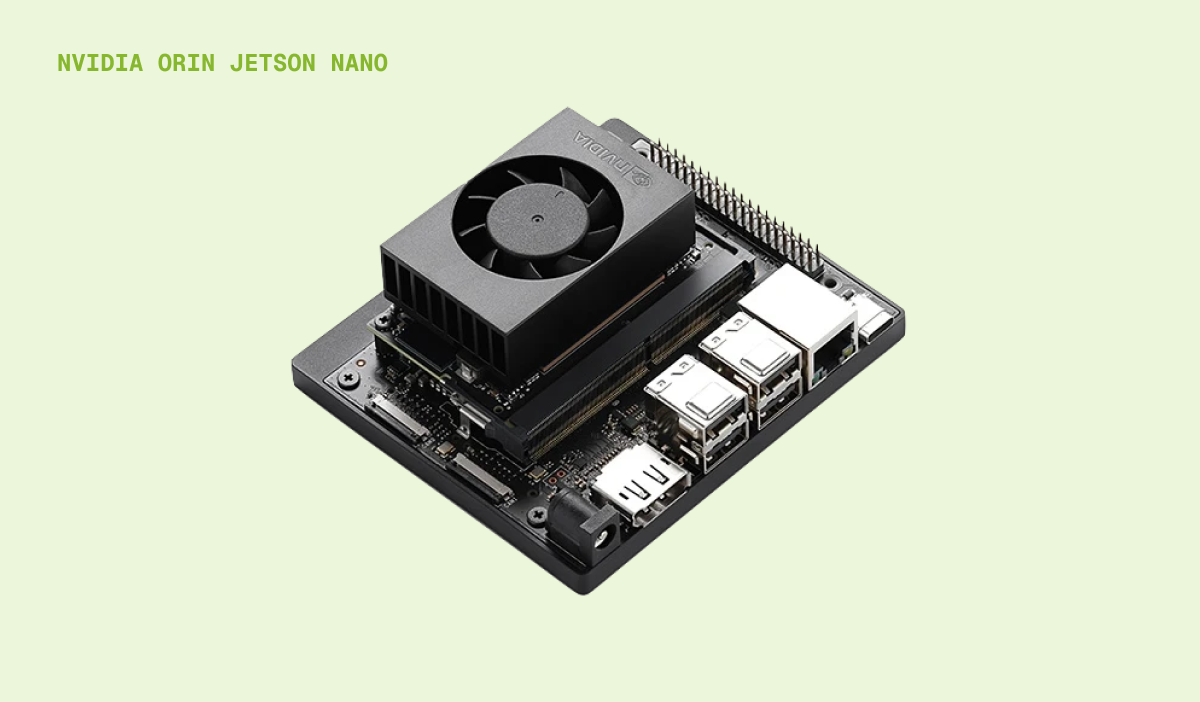
By placing powerful AI compute like the NVIDIA Jetson Orin Nano directly in the classroom, we can create a “supercharged” learning space that listens, sees, and assists in real-time.
Core Flows
Jet: an intelligent classroom assistant that uses voice, vision, and student feedback to provide real-time support
Jet supports four core flows across the teacher and student views.
Starting a teacher session
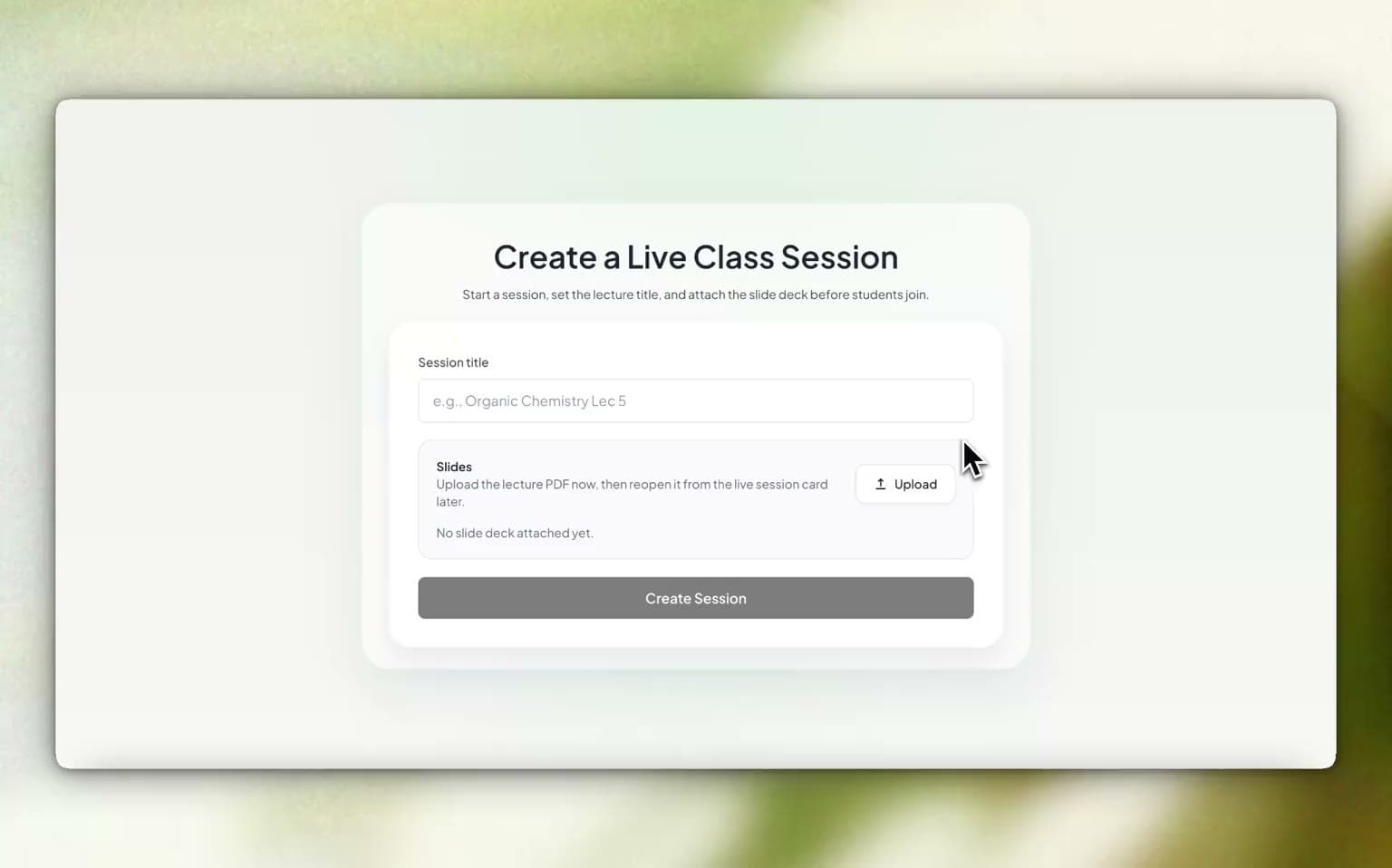
An instructor creates a session that students can join with a code, then uploads their slide deck. Jet reads the slide content and generates comprehension questions from it, which the instructor can review and save to their question bank for use later in the lecture.
Live transcription and generation
Jet transcribes the lecture as it happens, turning speech into a running record of what is being taught. Saying "Hey Jet" lets the instructor generate content into the slides mid-sentence — live code, diagrams, and images that appear on the deck without breaking the flow of the lecture.
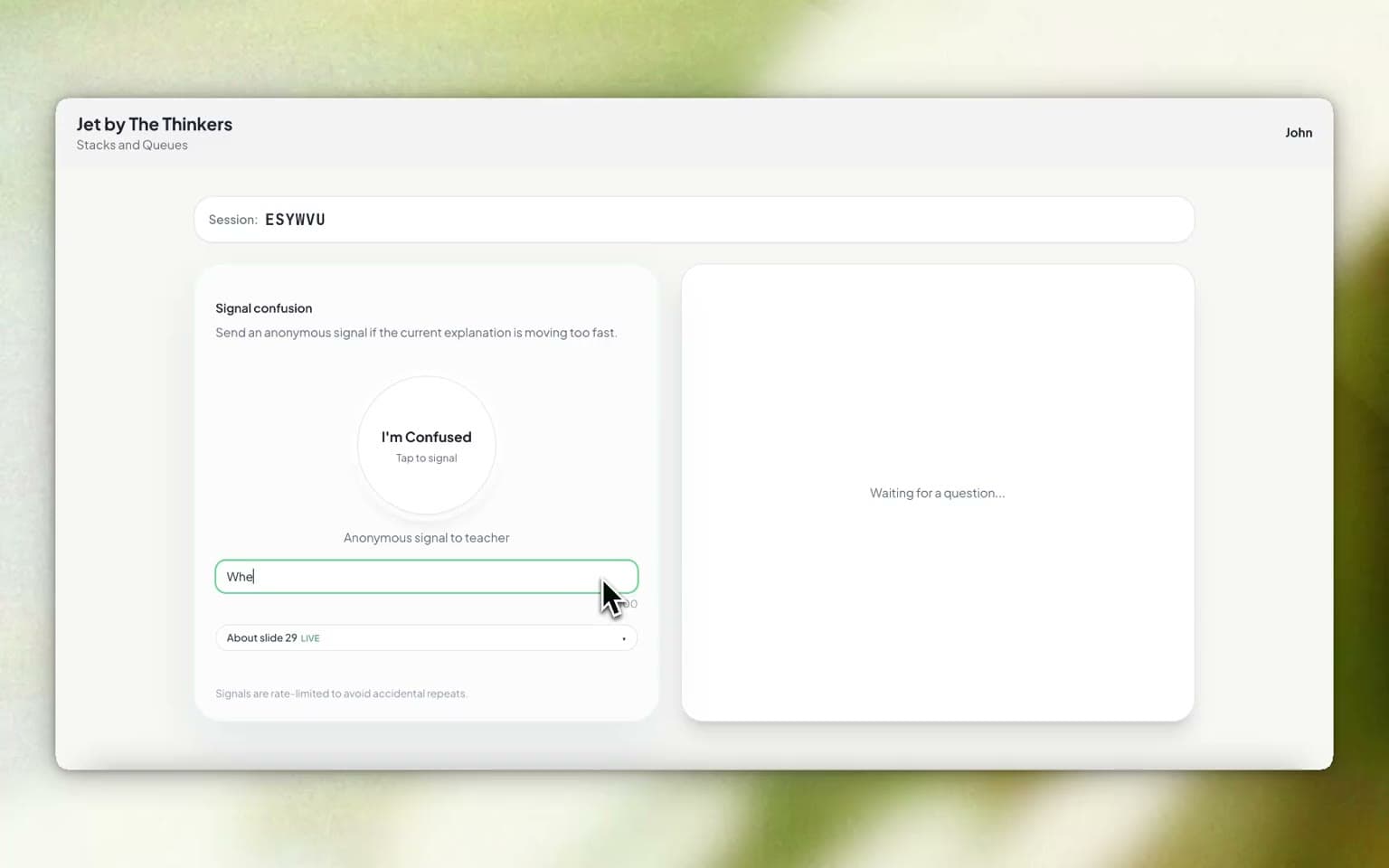
Student confusion button
In the student view, anyone can tap a button to flag that they are lost, without raising a hand or interrupting. Those signals aggregate into a confusion meter on the instructor's dashboard, so the room's understanding is visible as a number rather than guessed at from faces.
Hand gestures
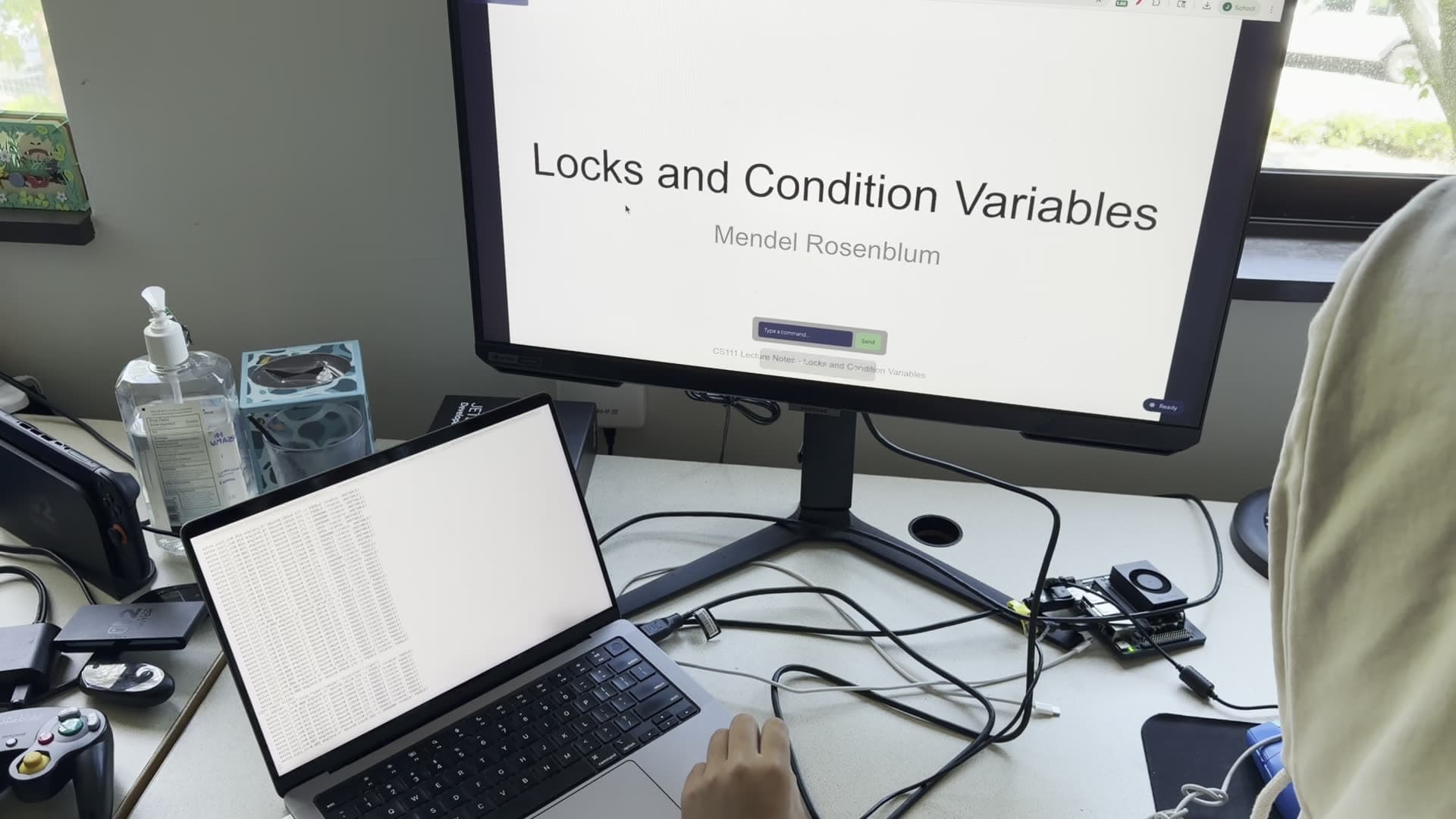
The Jetson's camera gives Jet computer vision on the teacher's presentation. It locates the instructor's board and reads their hand gestures. This lets them navigate the deck and move generated content from anywhere in the classroom, so they don't have to walk back and forth to their laptop.
Research
Understanding where AI fits in the teacher workflow
We spoke with three teachers across high school and college settings to understand how they prepare for and run classes, as well as how they perceive AI and its use cases.
Innovating for the future of education
Teachers saw AI as an opportunity to rethink how lessons are created and delivered.
“I think education will be disrupted in an incredibly positive way... you’re kind of exploring the early days of what I think is going to be really meaningful.”
— Mr. B, university lecturer and professor in computer science
Course correcting and generation in real time
Teachers wanted AI to reduce prep work by generating relevant support in the moment.
“Before I introduced anything, going back to the Great Gatsby, I always showed the class pictures. But I’ll spend a lot of time the night before looking for Google images for those pictures. To have that come up automatically, oh my gosh, that’d be incredible.”
— Mr. H, high school English teacher
Feature Ideation and Planning
Identifying opportunities where Jet can add to a real-time teaching experience
After speaking with teachers, we brainstormed where we could add value (without reinventing the wheel).
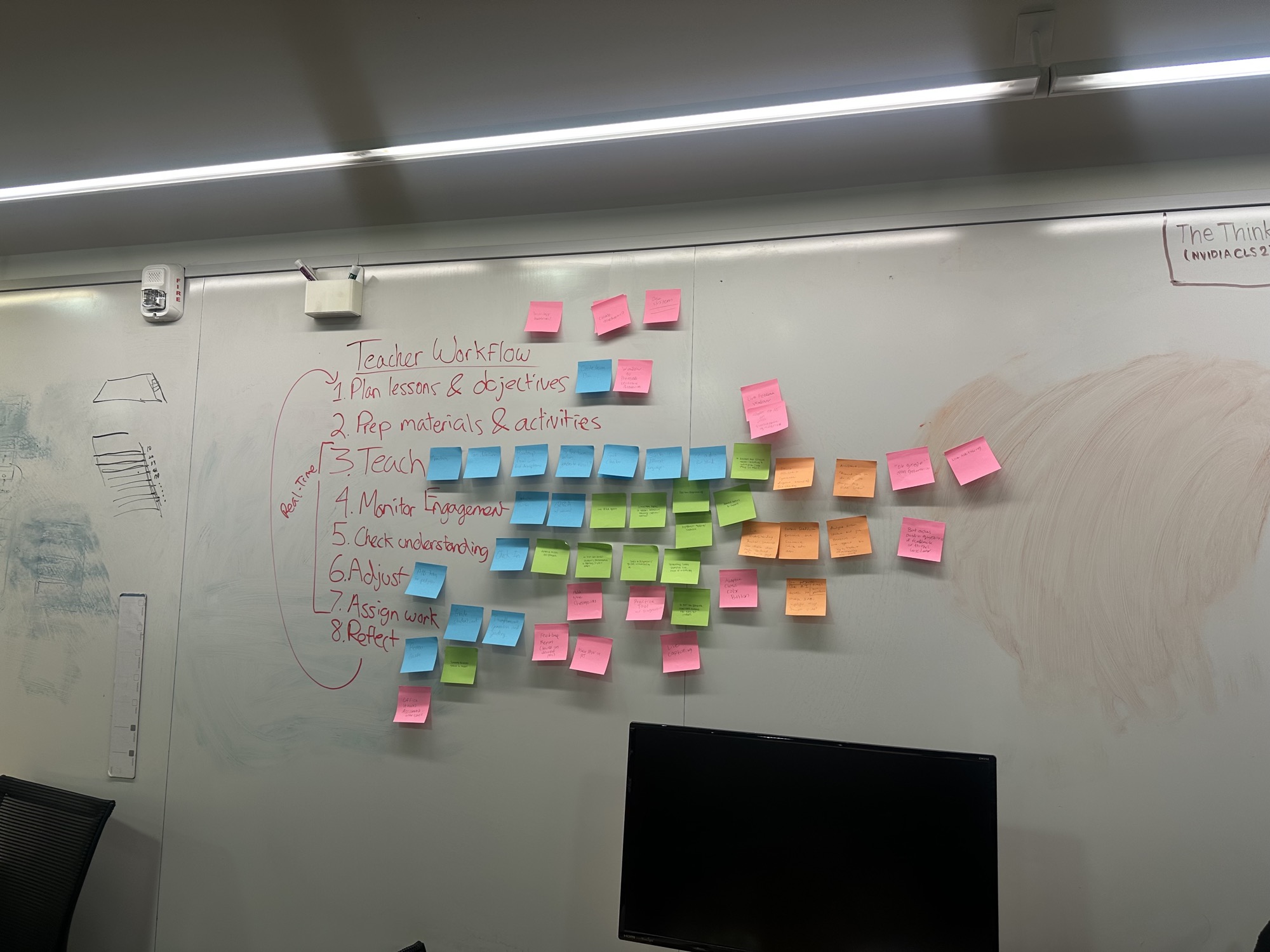
This led us to explore three real-time opportunities:
Monitoring engagement
How might we help instructors understand student engagement in real time without distracting from teaching?
Checking for understanding
How might we give students a low-friction way to signal confusion without interrupting the lecture?
Helping instructors adapt accordingly
How might we help instructors respond to student needs in the moment with relevant, actionable support?
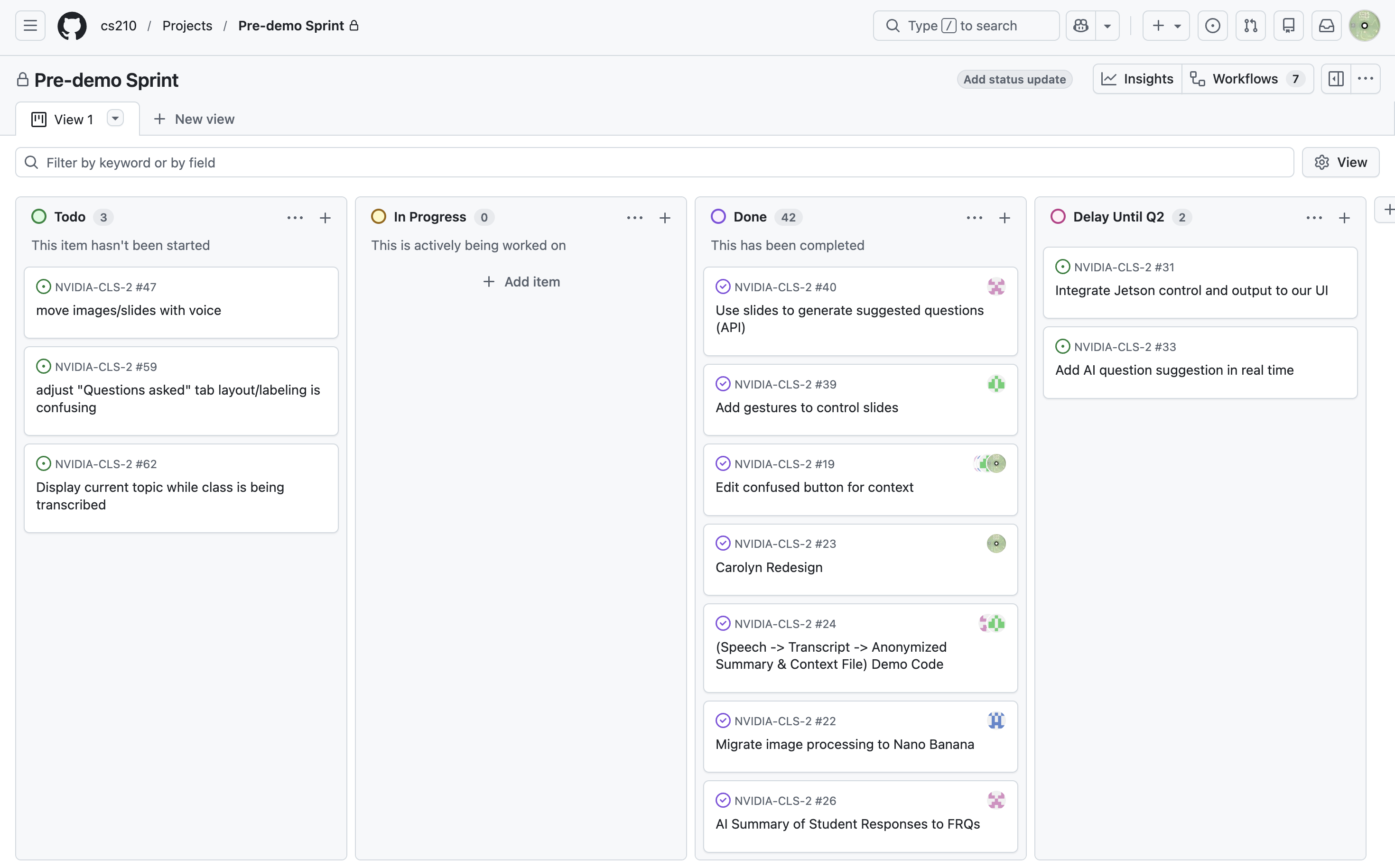
From there, we scoped the work into sprints on our GitHub board, so each feature had an owner and a deadline before our scheduled demos.
Testing Prototypes
Putting Jet to the test in a real classroom
We demoed Jet twice in a Data Science section, where the lead TA used Jet to present his slides to a group of students, who were also onboarded to our webapp.
Our first demo identified key bugs, insights, and opportunities to improve the experience before returning for a second round of testing.
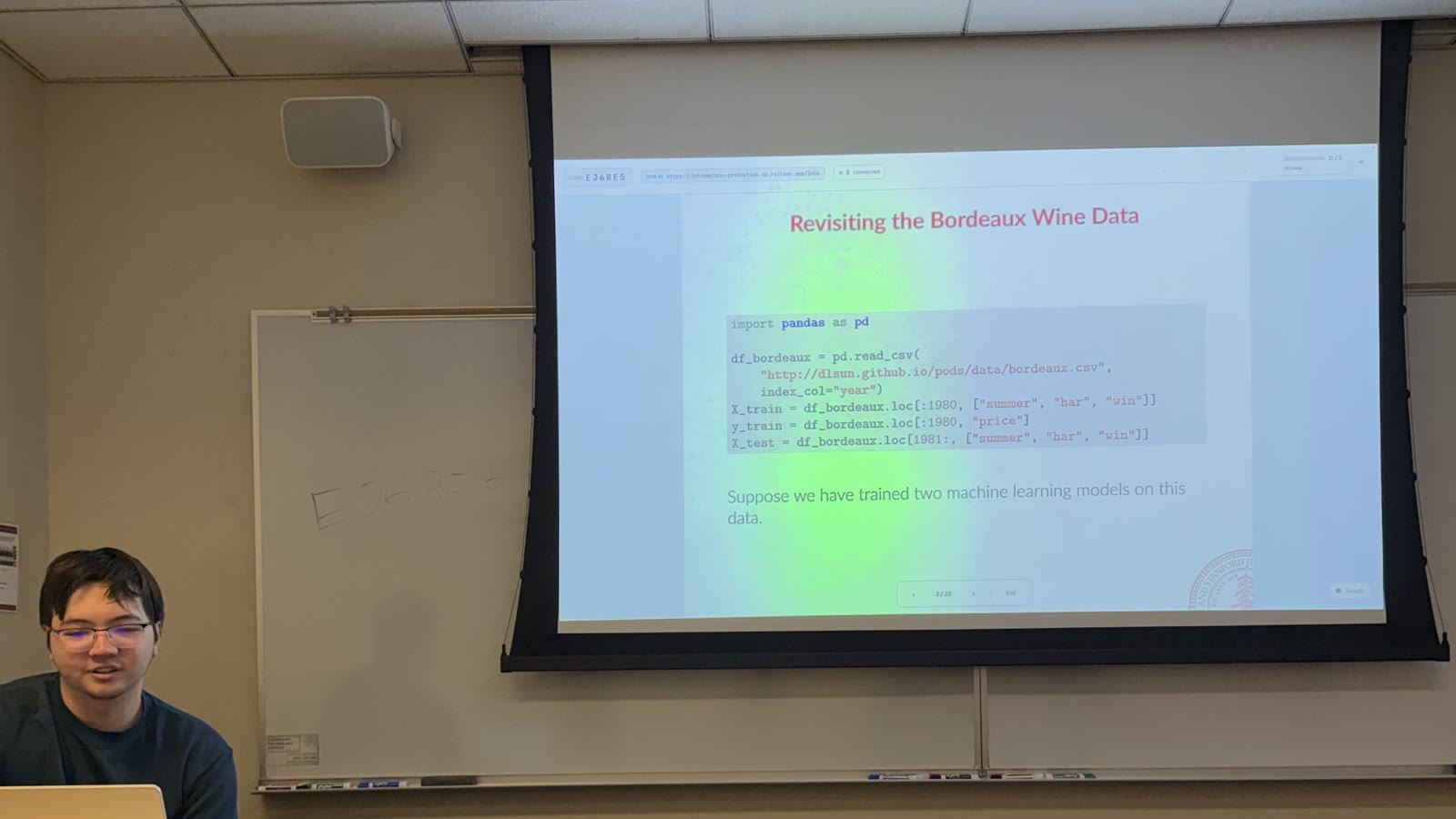
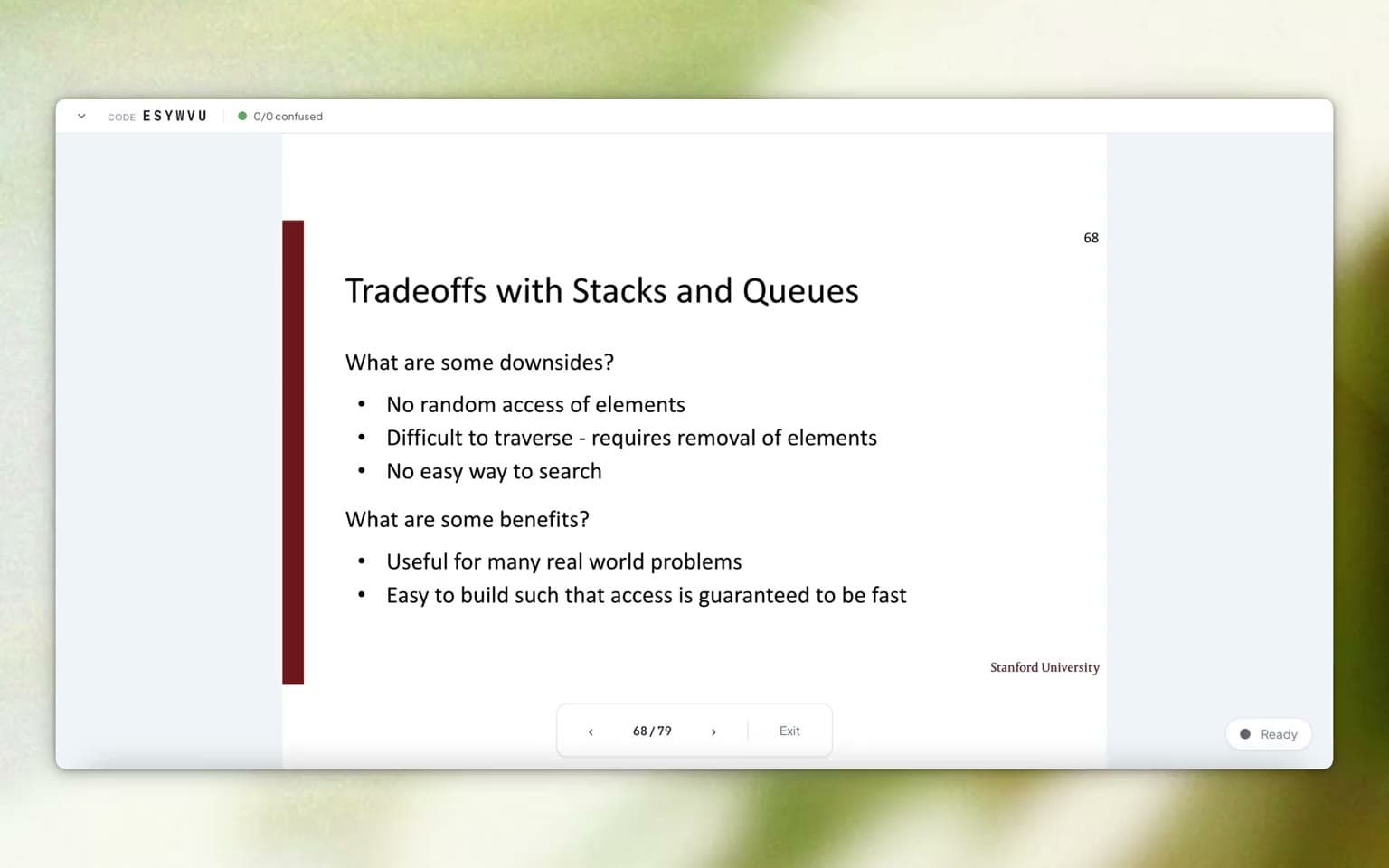
Data Science TA using our Slides Viewer
Students joined the session through a unique code, allowing them to interact with Jet in real time.
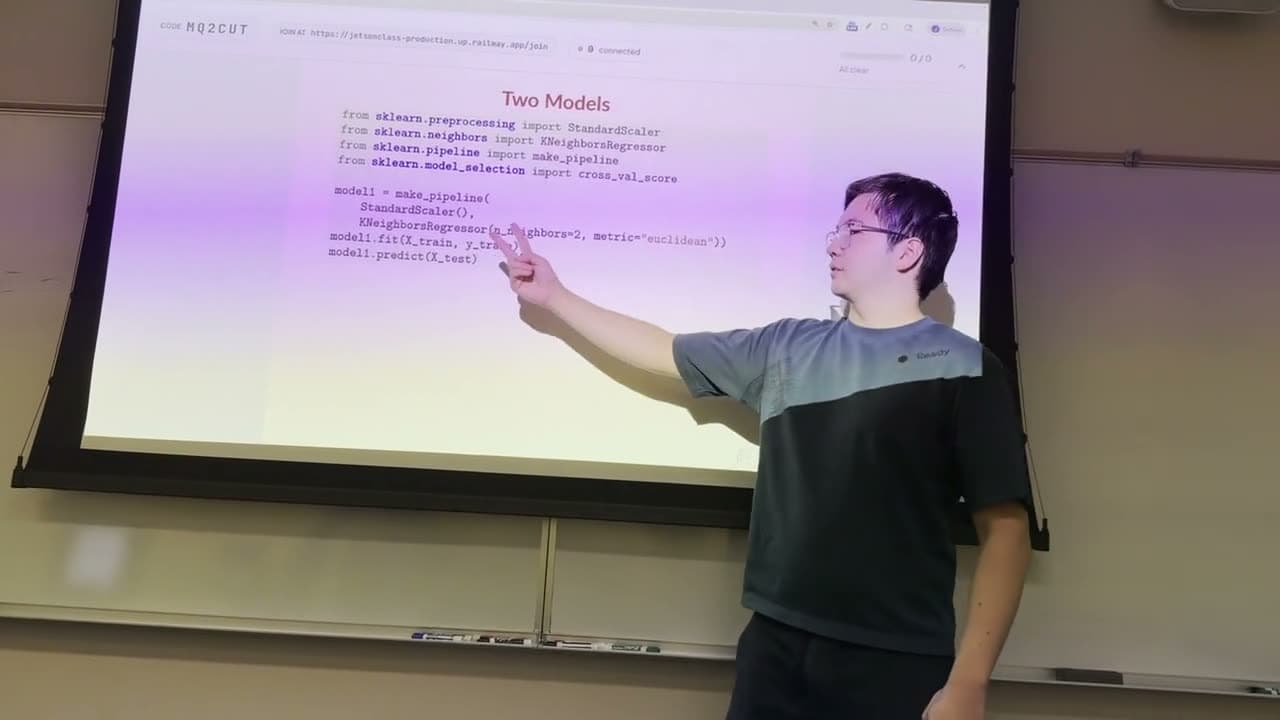
Testing Slide Control Gestures
We simplified the gesture system, moving from flat hand gestures to two-finger swiping.
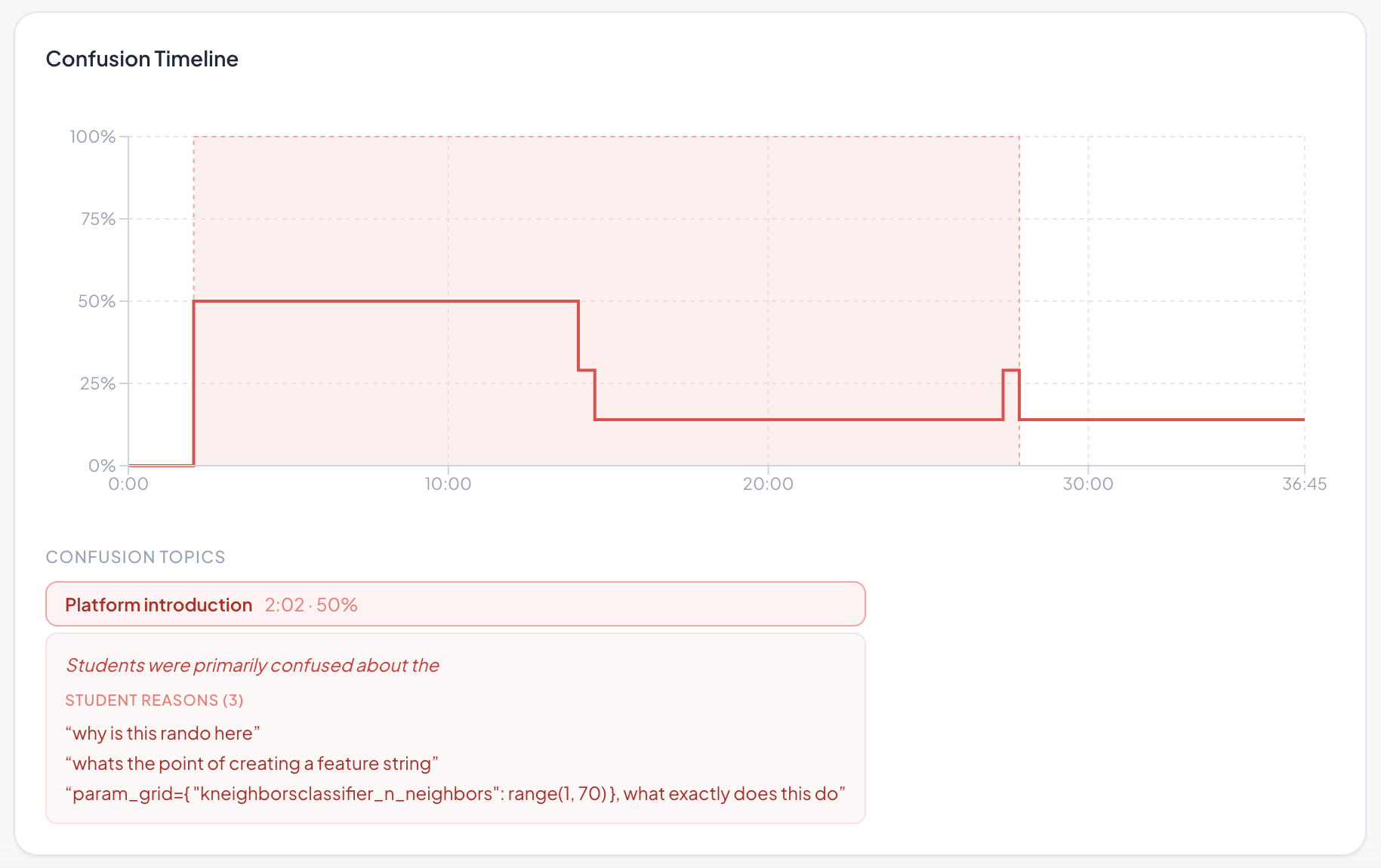
Teacher Session Summary
A confusion timeline, synced with the lecture transcript, shows which parts of the lecture students were most stuck on.